

The right business security cameras give you clear video of the places that matter, stored long enough to be useful, on a network an attacker cannot easily reach. Getting there takes five decisions: which camera types, wired or wireless, how much storage, how the system connects to your IT, and what you tell employees and visitors. This guide walks through each one for owner-led businesses.
TL;DR
- A commercial video system is more than cameras: it also needs recording, storage, viewing software and a network connection, and each part affects the others.
- Fixed cameras watch one area. PTZ (pan-tilt-zoom) cameras can be steered. Most sites use a mix.
- Wired systems suit permanent sites that need reliability. Wireless suits spaces where running cable is hard.
- Cameras are network devices. Keep them on their own network segment, avoid port forwarding and use a VPN for remote viewing.
- Audio recording and hidden cameras carry legal risk in the U.S. Post notice and check your state’s rules first.
Table of Contents
- What a commercial video surveillance system actually is
- Camera types: fixed, PTZ and the shapes you will see
- Wired or wireless business security cameras
- Recording, storage and retention
- Securing cameras on your business network
- Privacy, audio and signage rules in the U.S.
- Cameras as one part of a commercial security system
- Our perspective: treat cameras as part of your IT, not an add-on
- How to choose a system, step by step
- Working with us on physical and network security
- FAQ
- Sources
What a commercial video surveillance system actually is
The U.S. Department of Homeland Security describes video security systems as surveillance that protects people, assets and systems, linking cameras to monitors through a transmission system. In a business, that usually means four layers:
- Cameras that capture the scene.
- Transmission, meaning cables or a wireless link that carry video.
- Recording and storage, typically a network video recorder (NVR) or digital video recorder (DVR) with drives.
- Viewing and management, usually video management software (VMS) on a monitor, computer or phone.
That same DHS handbook lists cameras, recording equipment, storage, VMS and displays as the key components of a system. The searches “commercial security systems” and “business surveillance systems” usually point to this same package. A broader commercial security system adds alarms, intrusion detection and access control, and the video layer works with them. DHS calls camera systems force multipliers when they are combined with those tools.
The practical point: a camera is only as useful as the footage you can retrieve from it. A cheap camera with no recorder, undersized storage or a weak password is a liability, not protection.
Camera types: fixed, PTZ and the shapes you will see
The DHS handbook sorts cameras into two primary categories: fixed cameras, which view a single area, and PTZ cameras, which can be moved and zoomed remotely to capture detail.
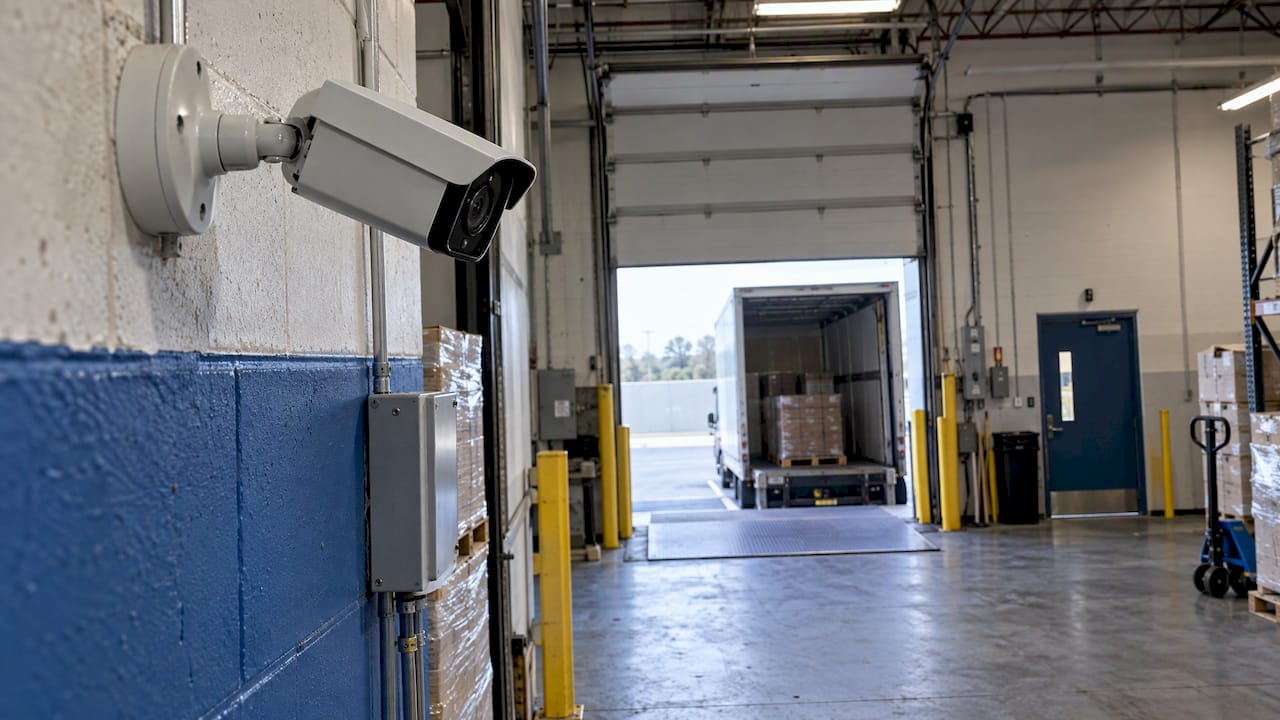
Fixed cameras are the workhorse. You aim them once at a door, a counter, a loading dock or a parking lot, and they record that view all day. They are simple and predictable.
PTZ cameras make sense where one operator needs to follow activity across a large area, such as a yard or a big lot. They cover more ground, but only look where someone points them. When nobody is steering, they can miss what happens outside their current view.
You will also see cameras described by housing:
- Bullet cameras are tube-shaped, easy to aim and common outdoors.
- Dome cameras are compact and harder to tamper with, common indoors and in ceilings.
- Panoramic (360-degree) cameras cover a wide area with one lens, useful in open rooms.
The housing matters less than the job. Before buying, write down what each camera must do: read a license plate, identify a face at a door, or just show who is in a room. DHS notes that effective selection requires detailed knowledge of the camera, the application, the supporting architecture and the host environment. The Security Industry Association adds that you should weigh the specific environment, image quality and field of view for every position.
Wired or wireless business security cameras
DHS explains that wired systems use cables such as coaxial or Ethernet for high reliability, while wireless systems use Wi-Fi or cellular networks for easier installation and flexibility. Here is how that plays out for a small or mid-size business.
| Factor | Wired (Ethernet or coaxial) | Wireless (Wi-Fi or cellular) |
|---|---|---|
| Reliability | High; a cable is not affected by interference | Depends on signal strength and network load |
| Installation | More work: cable runs, drilling, ceiling access | Faster; flexible camera placement |
| Best for | Permanent offices, warehouses, high-security areas | Leased spaces, small rooms, spots where cabling is hard |
| Power | Often delivered over the same Ethernet cable (PoE) | Still needs power at each camera unless battery-powered |
| IT impact | Predictable, easier to isolate on its own switch | Adds devices to your wireless airspace, so plan it carefully |
If you own or long-lease the building and the cameras guard cash, inventory or records, a wired network is usually the sturdier foundation. If you rent a suite and cannot open walls, wireless cameras can fill the gaps. Many businesses end up with wired cameras at critical points and wireless at the edges.
Recording, storage and retention
This is where many small-business systems quietly fail. Footage is only evidence if it is still there when you need it.
Pick the recorder deliberately. NVRs store video from network cameras, and DVRs do the same for analog systems. The VMS is how you search, view live feeds and manage cameras from one interface.
Size storage to your retention goal. The Security Industry Association says storage should be correctly sized for retention needs, and that you should use surveillance-grade drives rather than consumer ones for reliability. Storage needs grow with camera count, resolution, frame rate and the number of days you keep footage. Before you buy, answer three questions:
- How many days of video do we need? Think about how long it takes you to notice a problem, such as a theft found during a monthly inventory.
- Do we record all the time, or only on motion? Motion recording saves space but can miss the moments leading up to an event.
- Who is allowed to export or delete footage, and is that logged?
Plan for the failure case. Drives wear out. Ask your installer how you will know when a drive fails, so you do not discover a dead recorder after an incident. A managed IT provider can monitor recorder health the same way it monitors servers.
Securing cameras on your business network
Modern cameras are computers on your network. That is the part most camera guides skip, and it is where IT matters most. CISA says cybersecurity should be addressed throughout the acquisition lifecycle when you purchase, deploy, operate and maintain IoT devices, and cameras are IoT devices.
The Security Industry Association’s guidance gives a clear starting list:
- Segment the camera network. Separate it physically or logically (for example with VLANs) so a compromised camera cannot reach your file server or accounting system.
- Avoid port forwarding. Opening a port to the internet so you can view cameras remotely exposes the device to anyone scanning for it.
- Use secure remote access, such as a VPN, instead.
- Keep firmware updated and use encryption where the system supports it.
All of this is in the SIA’s CCTV 101 resource. A real-world example of why it matters: a CISA advisory on certain Reolink cameras describes a peer-to-peer feature as a risk and, in general terms, advises minimizing internet exposure and isolating control networks behind firewalls.
If you want to understand the logic behind separating networks, this explanation of network segmentation with zones and conduits shows how to group devices by function and control the paths between them. The same thinking applies to a rack of cameras and a recorder.
One more habit: change every default password at installation, give each person their own login, and remove accounts when staff leave. Your installer and your IT team should agree in writing on who does this.
Privacy, audio and signage rules in the U.S.
There is no single national rulebook for workplace cameras. State law, the type of space and whether audio is involved all change the answer, so confirm with an employment attorney before you install. A few points from official sources show the shape of the issue:
- Audio is riskier than video. Texas workforce guidance says audio recording requires notice and consent, recommends notice for video-only monitoring and says never to videotape restrooms or dressing rooms.
- Transparency lowers risk. The same guidance notes that video without audio generally does not legally require notice in some U.S. jurisdictions, yet telling employees can reduce legal risk and bad publicity.
- Labor law applies. The California Public Employment Relations Board has held that photographing or videotaping employees during union activity is unlawful surveillance, and that even creating an impression of audio recording at a union meeting was unlawful in the case it reviewed.
Sensible defaults: put visible signs at entrances, keep cameras out of private spaces, turn audio off unless counsel approves it, write a short retention and access policy, and share it with your team.
Cameras as one part of a commercial security system
Video works best alongside other controls. An access control system tells you who opened which door, and cameras show what happened next. If you are weighing door readers and key cards, this breakdown of key card system costs per door gives a sense of what that layer involves, even though prices vary by region.
The SIA lists services that may be needed around a system: design and installation, VMS selection, storage sizing and cybersecurity measures such as updates, segmentation, encryption and secure remote access. When you request quotes, ask who owns each of those tasks after installation day.
Our perspective: treat cameras as part of your IT, not an add-on
At Chicago IT Support, we look at security as one system. A camera on a closet shelf, a recorder with a default password and a wireless access point nobody updates are all the same kind of problem: unmanaged devices on a business network.
Owner-led businesses rarely have a person whose job is to think about that. The camera installer leaves, the IT person is busy with email and laptops, and the cameras fall between the two. We think the better model is one accountable partner who understands both the physical risk you are trying to cover and the network that carries it.
That is how we approach managed physical security: decide what you need to see, place cameras to see it, keep them on a segmented network, patch them like any other device and make sure recorded video is stored and retained the way your policies say. We pair that with security leadership through our virtual chief security officer service, so decisions about cameras, access control and data protection follow one plan rather than three separate vendors.
We would rather you ask hard questions up front, about storage, remote access and who can export footage, than learn the answers after an incident.
the author
How to choose a system, step by step
- List what you must protect. People, cash, inventory, equipment, data rooms. Rank them.
- Walk the site. Note entrances, blind spots, lighting, ceiling height and where power and network ports exist.
- Define each camera’s job. General awareness, identification or detail. This sets the camera type and resolution.
- Choose wired where it counts. Use wireless to fill gaps, not as the whole design for critical areas.
- Size storage to retention. Decide days of footage first, then calculate drives, using surveillance-grade ones.
- Design the network. Put cameras and recorder on a separate segment, with no port forwarding and VPN-based remote access.
- Set the rules. Signage, no cameras in private areas, audio off by default, access and export logging.
- Plan maintenance. Firmware updates, drive health checks, password reviews and a named owner.
If an installer cannot answer steps 5, 6 and 8 clearly, keep looking.
Working with us on physical and network security
We help owner-led businesses manage security as part of their IT, including managed physical security systems, advanced cybersecurity and vCSO leadership. If you are planning new cameras or inheriting an old system, we can review how it connects to your network and how it is maintained. Learn more about our advanced security services, or start with our security-first IT support.

FAQ
Do business security cameras need to be wired?
No, but wired systems are the more reliable choice for permanent sites. Wired cameras use Ethernet or coaxial cable, while wireless cameras use Wi-Fi or cellular and are easier to install. Many businesses combine the two, wiring critical areas and using wireless where cabling is impractical.
How long should I keep security camera footage?
There is no single number. Set it based on how quickly you would notice an incident, then size storage to match. Storage should be correctly sized for your retention needs, with surveillance-grade drives. Write the period into a policy and ask your attorney whether any industry or state rules apply to you.
Is it legal to record audio with business cameras?
Often it is restricted. Texas guidance, for example, calls for notice and consent for audio. Rules differ by state and by situation, so keep audio off unless an attorney in your state has approved it, and post clear signage either way.
Can security cameras be hacked?
Yes, because they are network devices. Reduce the risk by isolating them on their own network segment, avoiding port forwarding, using a VPN for remote access, updating firmware and replacing default passwords. These are the steps industry guidance recommends.
What is the difference between a security camera and a video surveillance system?
A camera captures video. A surveillance system adds transmission, recording, storage, management software and displays so that video can be viewed live, searched and kept as a record. A commercial security system may also tie in alarms and access control.
Sources
- Video Security Systems Technology, U.S. Department of Homeland Security
- CCTV 101, Security Industry Association RISE resource
- Internet of Things Acquisition Guidance, CISA
- Reolink P2P Cameras advisory, CISA
- Video Surveillance, Texas Workforce Commission
- Headnote on surveillance of employees, California PERB
- OT Network Segmentation: A Zones-and-Conduits Blueprint
- Key Card System Cost for Delaware Businesses



