The legal landscape in Chicago and across the country has shifted permanently. For decades, the theater of law took place exclusively in wood-paneled courtrooms and high-rise conference rooms. Today, a significant portion of that work happens through a camera lens.
As a firm owner or partner, you understand that your reputation is built on presentation and precision. When you walk into a courtroom, your suit is pressed, your arguments are prepared, and your demeanor is professional. In a remote setting, your technology is your suit. If your video freezes, your audio echoes, or your connection drops during a crucial deposition, it does not just look like a technical glitch. It looks like a lack of preparation.
At Chicago Technology Group, we help law firms and professional service organizations transition from “making do” with basic laptop webcams to utilizing enterprise-grade broadcast technology. We ensure that when you speak, the court listens, not to the static, but to your argument.
The Risks of “Good Enough” Technology
In the early days of the shift to remote work, everyone was forgiving. A blurry camera or a barking dog in the background was expected. That grace period is over. Judges, arbitrators, and high-value clients now expect seamless digital interactions.
There are specific business risks associated with poor meeting technology in a legal setting:
- Prejudicial Technical Difficulties: If a judge cannot hear an objection clearly because of a poor microphone, the record may customized inaccurately.
- Loss of Credibility: Creating a poor visual impression can subtly influence the perception of your competence or the strength of your case.
- Security Breaches: Using consumer-grade platforms without proper configuration poses a threat to attorney-client privilege.
- Momentum Loss: There is nothing that kills the momentum of a cross-examination faster than a “You’re on mute” notification or a dropped internet connection.
We approach these meetings not as IT tickets to be closed, but as critical business events that require production-level reliability.
Visual Presence: Beyond the Laptop Camera
Most lawyers rely on the camera built into their laptop bezel. These cameras are typically low quality, positioned at an unflattering angle, and struggle with varied lighting conditions.
To command a room virtually, you need to upgrade your visual input. We recommend and implement business-class external cameras for our clients. These devices offer higher resolution and better low-light performance. More importantly, they can be mounted at eye level. When you look into the lens, you should appear to be making eye contact with the judge or witness, not looking down at them.
Lighting is equally important. A camera is only as good as the light it captures. We help firms design “Zoom Rooms” or dedicated digital suites within their Chicago offices. These rooms utilize proper front-facing lighting to eliminate shadows and ensure your team looks alert and professional.
Audio Clarity matters More Than Video
You can litigate a case with a frozen video feed, but you cannot litigate without audio. In remote proceedings, audio quality is the single most critical technical factor.
If you are using the built-in microphone on a laptop, you are picking up every keystroke, paper shuffle, and HVAC noise in the room. This fatigues the listener. If a judge has to strain to hear you, they are using cognitive energy on decoding your sound rather than processing your legal theory.
We deploy directional microphones and noise-canceling headsets for our legal clients. These tools isolate the human voice and suppress background noise. The goal is to make your voice sound as if you are standing right next to the microphone in the witness box.
Connectivity and Redundancy
In a physical courtroom, the lights rarely go out. In a virtual courtroom, the internet goes out all the time.
For a law firm, relying on a single standard Wi-Fi connection for a trial or critical deposition is a gamble you should not take. Wireless signals can fluctuate based on interference or office traffic.
For critical “digital war rooms,” we insist on hard-wired cabling connections. An Ethernet cable provides stability that Wi-Fi cannot match. Furthermore, we look at redundancy. What happens if your main ISP has an outage in your neighborhood during closing arguments?
Our Secure IT Management services often include setting up failover internet solutions. This means if your primary cable connection drops, your network automatically switches to a backup 5G or cellular connection instantly. You might notice a blip, but the call stays connected. This creates a layer of resilience that protects your firm’s professional standing.
Protecting Privilege and Data
Convenience cannot come at the cost of confidentiality. Remote platforms have introduced new vectors for data leakage.
Securing the Feed
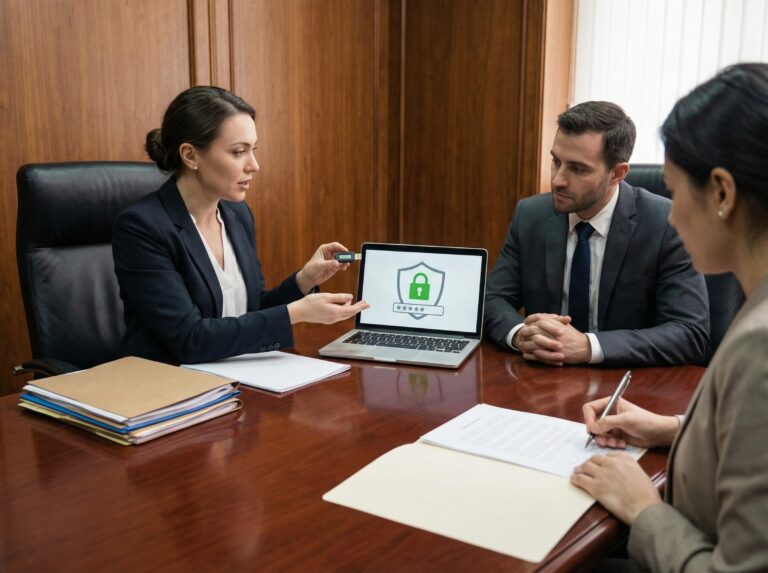
Uninvited guests crashing a meeting is a known nuisance, but the greater risk is silent eavesdropping. We configure meeting platforms to use waiting rooms, require complex passwords, and lock meetings once all participants are present.
Encryption and Compliance
When sharing evidence or documents on screen, you must ensure the connection is encrypted end-to-end. Our Cyber Assurance Shield service helps firms navigate the compliance requirements of handling sensitive data over public internet connections. We ensure that the software being used meets the strict standards required for legal and professional services.
The Human Firewall
Technology protects the data, but your staff protects the process. We provide guidance on best practices, such as ensuring that smart speakers or voice assistants in home offices are disconnected during confidential proceedings to prevent accidental recording.
The Digital Deposition Room
Many of our clients in the Chicagoland area are moving away from having attorneys connect from their individual desks for high-stakes meetings. Instead, they are building dedicated spaces.
A Digital Deposition Room is a small conference room optimized for remote advocacy. It typically features:
- Dual or Triple Monitors: One screen for the video feed of the witness, one screen for the transcript or notes, and a third screen for managing exhibits.
- Acoustic Treatment: Sound-dampening panels to prevent echo, giving the audio a rich, broadcast quality.
- Professional Backdrop: A clean, branded background that removes distractions.
- Dedicated PC: A high-performance computer that is not bogging down with fifty open browser tabs or background updates.
By creating this environment, you allow your attorneys to walk in, sit down, and focus entirely on the law, knowing the technology is managed and ready.
Preparation and “Dry Runs”
Technology fails when it is untested. One of the value-adds of a managed IT partnership is the preparation phase.
Before a major virtual trial, we can assist with testing your equipment. We check for software updates that might force a restart at the wrong moment. We verify bandwidth usage to ensure no one else in the office is downloading massive files that could choke the connection.
We also assist with the “handshake” process—ensuring your systems can talk to the court’s systems. different jurisdictions use different platforms. Your firm needs to be as comfortable on one platform as it is on another.
Physical Security in a Remote World
When your team is remote, your physical perimeter expands. If an attorney is taking a deposition from a home office or a co-working space, keeping the physical machine secure is vital.
Our physical security services extend to asset tracking and remote wiping capabilities. If a laptop containing sensitive case files is stolen from a car or a coffee shop, we need the ability to render that data inaccessible immediately.
Reducing Risk, Not Eliminating It
It is important to be realistic. No amount of technology can guarantee 100% uptime. The internet is a public utility, and software can have bugs.
However, professional perception is about how you manage those risks. By investing in enterprise-grade hardware, redundant connections, and proactive management, you reduce the probability of failure to a minimum. And, should something go wrong, having a support team ready to troubleshoot effectively demonstrates to your clients and the court that you take the proceeding seriously.
Your firm invests heavily in paralegals, research, and expert witnesses to win cases. The technology you use to deliver that case is now just as important as the case law itself.
If you would like to ensure your firm is presenting its best face to the court and to your clients, please reach out to us. We are happy to discuss how to build a resilient, professional remote meeting infrastructure for your practice.