As a law firm owner or partner, you live by deadlines. Court dates, filing deadlines, and client meetings dictate your schedule. If your technology fails, those deadlines don’t move. A judge doesn’t care if your server crashed or your internet is down. The clock keeps ticking.
Business continuity is simply the ability to keep working, no matter what happens. It isn’t just about disaster recovery after a fire or flood. It is about surviving the small, everyday disasters—like a power outage, a corrupted file, or a ransomware attack—that can grind your practice to a halt.
At Chicago Technology Group, we help law firms build systems that keep them billing hours and serving clients, even when things go wrong.
The Modern Risk to Legal Practices
For decades, business continuity for a law firm meant having fireproof file cabinets and maybe an off-site storage unit for paper records. Today, your firm’s lifeblood is digital.
Your case management software, your emails, your billing records, and your drafted motions all live on computers. This introduces new risks.
Ransomware is the biggest threat facing firms today. Criminals target law firms specifically because they know two things:
- You have sensitive client data you cannot afford to lose.
- You have deadlines that make downtime incredibly expensive.
If a criminal encrypts your files, you can’t access your current cases. You can’t bill clients. You can’t file motions. The operational paralysis is immediate.
But risk isn’t always malicious. Hardware failure is common. Hard drives die. Servers get old. Laptops get dropped or stolen. Human error is another major factor. An associate might accidentally delete a critical folder, or someone might click a malicious link that compromises the network.
The Difference Between Backup and Continuity
Many firm owners believe they are safe because they have a “backup.” They point to a hard drive plugged into the server or a cloud service that copies files every night.
There is a critical difference between backup and continuity.
- Backup copies your data. It saves the files. If you lose a document, you can eventually get it back. But if your server dies, having the data on a backup drive doesn’t help you run your case management software. You still need a new server, which takes time to buy, configure, and restore. That brings us to Recovery Time Objective (RTO)—fancy language for “how long until we can work again?” With simple backups, that time might be days.
- Continuity focuses on operations. It asks, “How do we keep working right now?” A business continuity solution takes a snapshot of your entire server—not just the files, but the operating system, the software, and the settings. If your main server dies, a continuity appliance can “spin up” and act as the server temporarily. Your downtime is measured in minutes, not days.
For a busy law practice, the difference between minutes and days can mean the difference between a minor annoyance and a malpractice claim.
Critical Components of a Continuity Plan
To protect your practice, you need a plan that covers three main areas: your data, your communications, and your people.
1. Protecting Your Data and Systems
You need a layered approach to protecting your digital assets. We recommend implementing:
- Image-Based Backup: Instead of just copying files, this technology copies the entire “image” of your computers. This allows for much faster restoration.
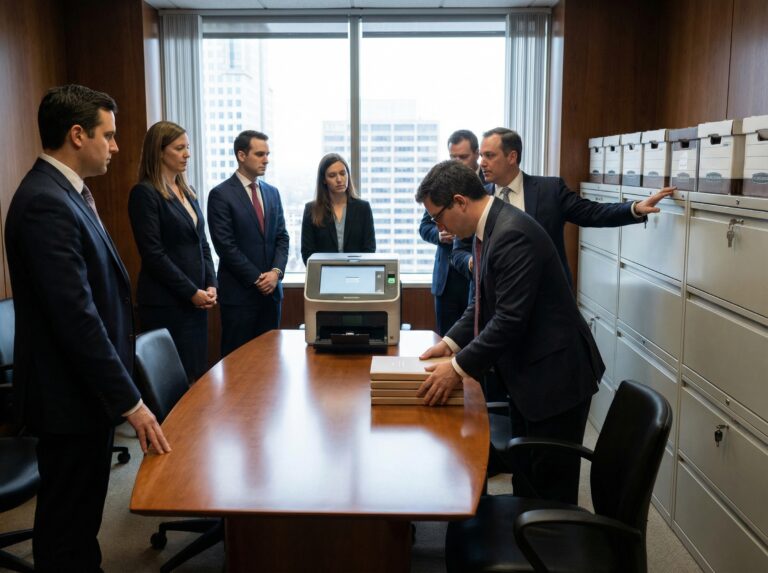
- Off-Site Replication: Your data shouldn’t just live in your office. It should be replicated to a secure cloud data center. If a fire or flood destroys your physical office, your data is safe elsewhere.
- Immutable Storage: In a ransomware attack, criminals often try to delete your backups first so you have to pay. Immutable storage means your backups are locked in a way that even a hacker with admin passwords cannot delete or alter them.
Our Secure IT Management services include monitoring these systems daily to ensure they actually work when you need them.
2. Monitoring Communications
If your email goes down, does your firm stop? For most lawyers, email is the primary method of communication with clients and opposing counsel.
You need redundancy. If you rely on an in-house email server (like Exchange), you have a single point of failure. Moving to cloud-based productivity suites like Microsoft 365 or Google Workspace provides built-in redundancy. However, even these services can have outages.
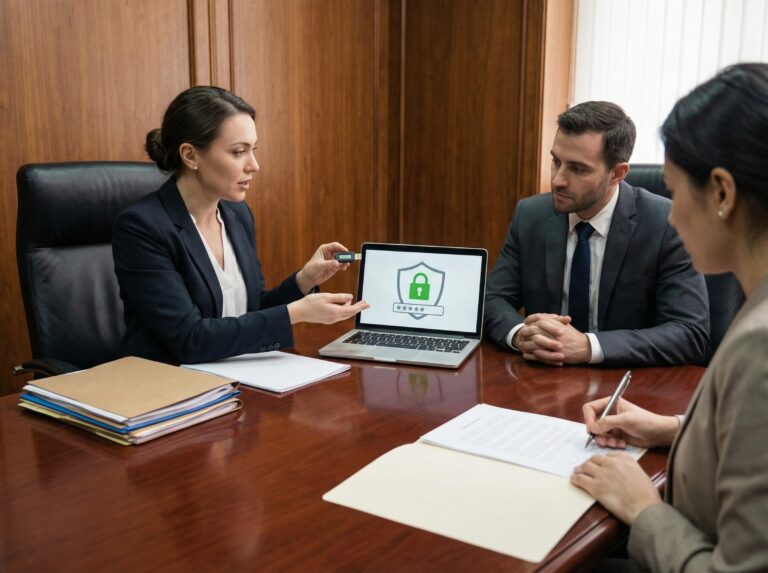
We help firms set up third-party email continuity services. If the primary mail service goes down, these tools allow you to log in to a separate emergency portal. You can keep sending and receiving emails as if nothing happened, ensuring you don’t miss critical correspondence.
3. Enabling Your People (Remote Access)
The final piece of the puzzle is your team. If the office is inaccessible—due to a power outage, severe weather, or a pandemic—how do they work?
A business continuity plan includes secure remote access. This isn’t just about letting people work from home occasionally. It’s about having a tested, secure way for your entire staff to access their desktops, files, and phones from anywhere.
- VPNs and Secure Gateways: We implement secure connections that encrypt data as it travels from a home laptop to the office network.
- Cloud Phones (VoIP): Modern phone systems allow you to take your office extension with you on a mobile app. If the office power is cut, your clients still call the main number, and your staff still answers.
Testing: The Step Most Firms Skip
You wouldn’t walk into a courtroom without preparing your argument. You shouldn’t rely on a continuity plan you haven’t tested.
We frequently see businesses that think they have backups, only to find out the backups have been failing for six months. Or they discover that while they have the files, they don’t have the software license keys needed to open them.
Part of our Cyber Assurance Shield service involves regularly testing your recovery capabilities. We don’t just assume it works; we prove it. We simulate a disaster and measure how long it takes to get you back online. This allows us to fix problems proactively, rather than during an emergency.
Compliance and Client Trust
Beyond keeping your doors open, business continuity is a compliance issue. As we discussed in our articles on compliance, you have an ethical and often legal obligation to safeguard client data.
Demonstrating that you have a robust continuity plan is also a competitive advantage. Corporate clients, in particular, often require their outside counsel to prove they have disaster recovery measures in place. They need to know their legal matters won’t be derailed by your IT problems.
Your Next Steps
You have worked hard to build your practice. You have spent years earning the trust of your clients. Don’t let a hard drive failure or a lightning strike undo that work.
Take a moment to ask yourself: If our server died right now, how long would it take us to bill our next hour? If the answer is “I don’t know” or “a few days,” you have a significant business risk to address.
We can help you evaluate your current setup and design a continuity plan that fits the size and budget of your firm.
To ensure your law practice can weather any storm, please schedule a discovery call with us.