A security assessment or penetration test (pen test) usually starts with a simple request: a customer wants proof, an insurer wants stronger controls, or leadership wants a clear view of risk before a major change.
Then the questions show up.
What systems are in scope? Will testing disrupt operations? Who gets notified if an alarm goes off? What are you supposed to do with the results?
If you are a small or mid-size, owner-led business in Chicago or Chicagoland, your first priority is keeping the business running. Your second priority is reducing cyber risk in a practical way. A well-planned assessment or pen test supports both goals. A poorly planned one creates confusion, wasted spend, and unnecessary downtime.
This guide gives you a clear checklist to prepare, set expectations, and get useful results.
Security assessment vs pen test: what’s the difference?
People use these terms interchangeably, but they are not the same.
Security assessment
A security assessment is typically broader and more collaborative. It looks at controls, configuration, and gaps across systems and processes. It may include scanning, configuration review, interviews, and documentation checks.
You usually get:
- A prioritized list of risks and recommended fixes
- Clear “quick wins” and longer-term improvements
- Evidence that you took reasonable steps to understand your posture
Penetration test
A pen test is more adversarial. The testing team attempts to gain access or prove impact, within agreed rules. It focuses on what can be exploited, not just what is misconfigured.
You usually get:
- Proof of what an attacker could actually do
- A path of exploitation (how they got in and what they reached)
- Specific remediation steps tied to real attack paths
Both are valuable. Many growing businesses start with an assessment to build a baseline, then use pen testing to validate defenses and measure improvement.
Decide why you’re testing and what “success” means
Before you talk scope, decide what you need from the engagement.
Common business reasons include:
- A customer security questionnaire or contract requirement
- Cyber insurance underwriting or renewal questions
- Preparing for an external audit
- Supporting an acquisition, investment, or lender review
- Reducing operational risk after growth, remote work, or a new location
- Validating security improvements after an incident or near miss
Define success in plain business terms. For example:
- “We want to know if an outsider can access email or files.”
- “We need to prove MFA, monitoring, and backups are set up correctly.”
- “We want to identify the highest-risk gaps before a new site opens.”
- “We need a report we can use to prioritize a 90-day remediation plan.”
When success is clear, the results become actionable. Without that clarity, you risk paying for a report that looks impressive but does not change outcomes.
Scope comes first: what is in, what is out
Scope is where most engagements succeed or fail. Scope controls cost, time, risk, and usefulness.
At a minimum, define:
- Which locations are included
- Which networks are included (office, warehouse, guest Wi-Fi)
- Which internet-facing systems are included (websites, VPN, remote access)
- Which cloud systems are included (email, file sharing, identity)
- Which line-of-business apps are included
- Which users are included (employees, contractors, vendors)
Then define what is explicitly out of scope. This matters just as much. Out-of-scope items should not be tested, even accidentally.
Common test types to consider
Not every business needs all of these at once. Pick what matches your goals.
External pen test
- Simulates attacks from the internet
- Focuses on public-facing systems and exposed services
Internal pen test
- Assumes an attacker already has a foothold inside the network
- Tests lateral movement and access to sensitive systems
Web application test
- Focuses on a specific web app or portal
- Useful if customer data or transactions run through a web system
Wireless assessment
- Reviews Wi-Fi security, segmentation, and device access controls
Social engineering test
- Phishing calls or emails to test staff responses
- High impact, but only appropriate when leadership is aligned and expectations are clear
You can stage these over time. A smaller scope done well often beats a huge scope done poorly.
Protect operations: how to prepare without creating downtime
A security assessment or pen test should not turn into a business disruption. Your preparation should reduce the chance of outages and reduce confusion when alerts appear.
Confirm backups and recovery before testing
Testing can expose issues that lead to changes. Changes can break things. That is normal.
Before any testing begins:
- Confirm backups cover critical systems and key data locations
- Confirm you can restore at least one critical system or dataset
- Confirm you know who makes the call if something must be taken offline
Backups reduce risk, but they are not magic. A restore plan and a tested restore process matter.
Set a change window and a change freeze
If possible, avoid major IT changes during the test week. Testing and major changes at the same time create noise and false conclusions.
We often recommend:
- A light change freeze during the test period
- A defined maintenance window for any necessary adjustments
- A single point of approval for urgent changes
Align monitoring and response teams
If you have monitoring, EDR, or SOC coverage, a pen test will trigger alerts. That is expected.
Make sure everyone knows:
- This is authorized activity
- Which source IPs or tester details are expected
- Who should be notified if alerts fire
- Which actions are allowed (monitor, isolate a device, block an IP)
You do not want a tester blocked immediately because the SOC thought it was real, or a real threat ignored because someone assumed it was testing.
Name an internal point person
Pick one person to coordinate:
- Scheduling and access requests
- Questions from the testing team
- Internal communications
- Escalation decisions
This prevents “too many cooks” and keeps the process clean.
What to give the testing team in advance
A strong outcome requires the right inputs. You do not need to share everything. You do need to share enough to avoid wasted effort.
Provide:
- A simple network diagram (even a basic one)
- IP ranges, domains, and public-facing systems list
- List of key applications and where they live (on-site vs cloud)
- A list of critical systems to avoid disrupting
- Testing window and contact list for escalation
- Rules of engagement (more on this below)
For internal tests, provide one or more test accounts. Decide in advance what those accounts should represent:
- A standard user
- A finance user (if approved and appropriate)
- A contractor account (if relevant)
Avoid giving the testers full admin access “to make it easier.” That can make the results less meaningful.
Rules of engagement: the guardrails that keep testing safe
Rules of engagement are the written guardrails for testing. They protect your operations and keep everyone aligned.
At a minimum, address:
- Testing dates and hours
- Emergency stop process (who can halt the test, how quickly)
- Whether denial-of-service style testing is prohibited (usually it should be)
- Whether password guessing is allowed, and at what rate
- Whether phishing or phone-based testing is included
- Whether physical testing is included
- How sensitive data will be handled if discovered
- How findings will be reported and who will receive the report
If you work with regulated data or sensitive customer data, data handling rules matter. You want the team to prove impact without copying more sensitive data than necessary.
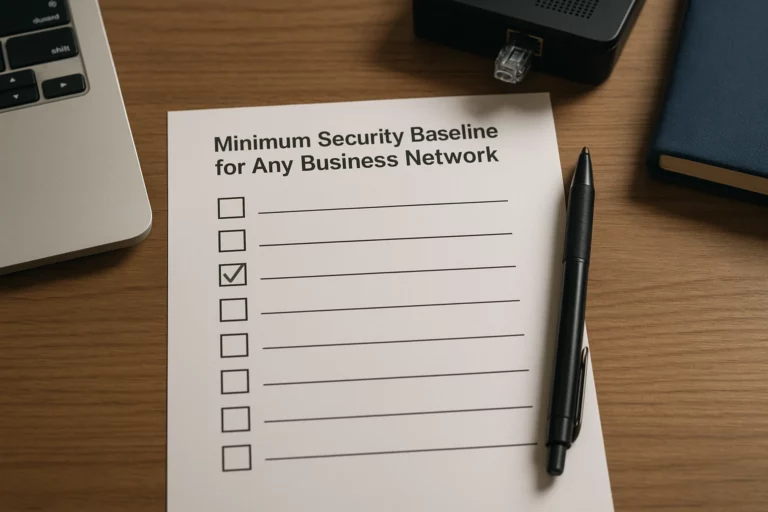
Checklist: Preparing for a Security Assessment or Pen Test
Use this as a working checklist. For each item, mark Yes, No, or Not sure.
Business readiness checklist
- We have a clear reason for testing (customer, insurance, audit, internal risk).
- We defined what success looks like in business terms.
- We picked the right type of engagement (assessment, external pen test, internal pen test, web app test, wireless, social engineering).
- We have an internal point person for coordination.
- Leadership understands that testing reduces risk but cannot eliminate it completely.
Scope and systems checklist
- We listed locations, networks, and systems that are in scope.
- We listed what is out of scope.
- We provided IP ranges, domains, and key application details.
- We identified “do not disrupt” systems and hours of operation.
- We confirmed which third parties or vendors must be included or excluded.
Operations protection checklist
- We confirmed backups are running for critical systems.
- We confirmed at least one restore test has been performed recently.
- We identified who makes the call if a system must be isolated or taken offline.
- We set a change freeze or limited change window during testing.
- We confirmed remote access pathways and business-critical integrations.
Security tooling and monitoring checklist
- We informed monitoring teams and/or SOC of authorized testing.
- We agreed on how alerts will be handled during the test.
- We confirmed endpoint protection (EDR) is active and reporting.
- We confirmed logging is available for investigation if needed.
- We confirmed MFA is enforced on critical systems, or we documented exceptions.
Access and credentials checklist
- We created test accounts that match the agreed test scenario.
- We ensured test accounts follow normal security controls (MFA where required).
- We confirmed offboarding steps are ready if an account must be disabled quickly.
- We documented any shared accounts that exist and how they will be handled.
Communications checklist
- We have a contact list for:
- Internal IT support
- Security point of contact
- Leadership decision maker
- After-hours escalation
- We know how we will communicate if email is affected.
- We defined when staff should be informed (especially if phishing testing is included).
Legal and confidentiality checklist
- We have written authorization for testing.
- We have an NDA or confidentiality terms in place.
- We defined data handling rules for sensitive information.
- We defined who receives the final report and how it will be stored securely.
What to expect during the test week
A well-run assessment or pen test usually follows a predictable rhythm.
- Early activity: validation of scope and initial recon
- Middle activity: deeper testing, exploitation attempts (for a pen test), and evidence gathering
- Ongoing: questions from the testing team and occasional requests for clarification
- Wrap-up: reporting, debrief, and next steps
Two practical tips:
- If you see alerts, don’t panic. Validate first. Authorized testing should be traceable to the agreed scope and tester details.
- Don’t argue with the findings in the moment. Ask for clarity and proof. Then decide what to fix first based on business impact.
After the report: how to turn findings into a plan
A report is only valuable if it drives action.
We recommend a simple triage method:
1) Fix the “door wide open” items first
These are usually the basics:
- MFA gaps
- Exposed remote access
- Unpatched critical systems
- Weak admin controls
- Missing or failing backups
2) Reduce blast radius
This is where segmentation, least privilege, and monitoring pay off:
- Tighten admin rights and separate admin accounts
- Segment guest Wi-Fi and high-risk device groups
- Improve logging and alert handling
- Standardize endpoint management and patching
3) Plan the longer work
Some improvements take time:
- Replacing outdated systems
- Cleaning up identity and access across many apps
- Building repeatable compliance evidence
- Improving business continuity and incident response
A good security program is a work in progress. Testing helps you prioritize. It does not “finish” cybersecurity.
How we support security assessments and pen tests at ChicagoTG
In many Chicagoland businesses, the hard part is not running a test. The hard part is making sure the test is scoped correctly, doesn’t disrupt operations, and leads to real improvements.
We typically support clients before, during, and after testing through Secure IT Management and Advanced Security services, with added structure from Cyber Assurance Shield and vCSO services when compliance or executive reporting is needed. We also coordinate closely with monitoring workflows so testing does not turn into noise, and so real issues are still caught quickly.
If you want a practical readiness review before your next security assessment or pen test, reach out to ChicagoTG and we will walk you through the scope, the operational safeguards, and the follow-through plan.
The best testing outcomes come from clear scope, solid preparation, and disciplined remediation. When you approach it that way, a security assessment or pen test becomes a business tool, not a stressful event.